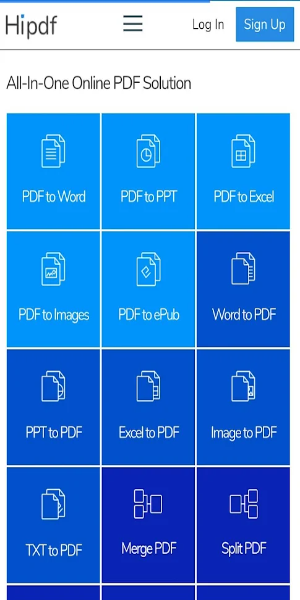
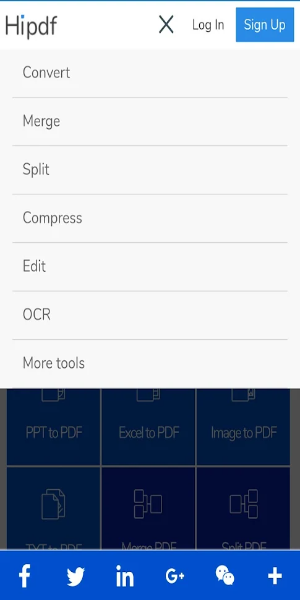
HiPDF is an all-in-one online PDF solution that enables you to convert, merge, split, and compress PDF files with ease. No registration, ads, or watermarks required—manage your PDFs quickly and safely through your browser for a seamless experience.
Explore HiPDF: Your Complete PDF Tool
In today's digital world, working efficiently with PDFs is essential—whether for school, work, or personal projects. HiPDF is a powerful online platform built to meet all your PDF needs accurately and intuitively. It delivers a full suite of useful features without sign-ups, ads, or watermarks, making it the top choice for straightforward PDF management. Let’s dive into what makes HiPDF essential for working with PDFs.
What is HiPDF?
HiPDF is a capable online service created to handle a wide variety of PDF tasks. Whether converting, merging, compressing, or splitting files, HiPDF gives you a full set of tools to streamline PDF editing. Its simple layout ensures even beginners can navigate and operate the platform confidently.
Key Features of HiPDF
PDF to Word Conversion
Turning PDFs into editable Word documents is often necessary for editing or repurposing content. HiPDF's PDF to Word tool preserves your original formatting and layout, giving you a smooth shift from static PDF to flexible Word file. This is great for students and professionals who regularly revise or pull content from PDFs.
PDF to JPG Conversion
Need to turn pages or entire PDFs into images? HiPDF’s PDF to JPG converter lets you extract crisp, high-resolution images from your PDFs. This is perfect for creating visuals or sharing PDF content in a more universal image format.
Merge PDFs
Bringing multiple PDFs together into one file is handy for reports, presentations, and multi-page documents. HiPDF’s merge tool helps you combine files easily—drag and drop them into place, rearrange the order, and merge with a few clicks.
Split PDFs
Breaking a large PDF into smaller sections is just as useful. Whether you're isolating certain pages or dividing a long document, HiPDF’s split PDF tool lets you select exact pages or ranges for extraction, giving you full control over your files.
Compress PDFs
Oversized PDFs can slow down sharing and uploading. HiPDF’s compression tool shrinks file size while keeping quality intact—ideal for faster email sends and better storage, without losing clarity.
Edit and Annotate PDFs
Beyond the basics, HiPDF also includes editing and markup tools. Make text changes, insert comments, highlight passages, and add shapes or stamps. These features are perfect for reviews, collaboration, or customizing PDFs to your needs.
No Registration Required
One of HiPDF’s best perks: full tool access with no sign-up. That means faster starts and stronger privacy—no personal info needed to get things done.
Ad-Free and Watermark-Free
Unlike many free PDF tools that insert ads or watermarks, HiPDF keeps your workflow clean and focused. No distractions and no branding on your final documents—just professional, untouched files.
No Software Downloads
HiPDF is completely web-based, so there’s nothing to download or install. Avoid compatibility headaches and work from any internet-connected device.
User-Friendly Interface
The platform’s clean design and simple navigation suit users of any skill level. Drag-and-drop support, clear guides, and speedy processing make every task smooth and efficient.
Benefits of Using HiPDF
-Convenience: Handle PDFs from any device online—no extra software or setup needed.
-Efficiency: Get more done faster with tools built to simplify PDF tasks.
-Privacy and Security: No registration or watermarks keeps your files secure and private.
-Quality Results: Expect high-quality outputs that keep your documents looking sharp after conversion, merging, splitting, or compression.
Conclusion:
HiPDF stands out as a flexible and easy-to-use online tool for all PDF tasks. With its wide range of features—plus the benefits of no sign-up, ads, or watermarks—it's a must-have resource for PDF management. Convert, merge, split, or compress with confidence using HiPDF’s dependable tools, designed for casual and professional users alike. Try the app or visit the website today to see how HiPDF can simplify your PDF workflow and boost productivity.