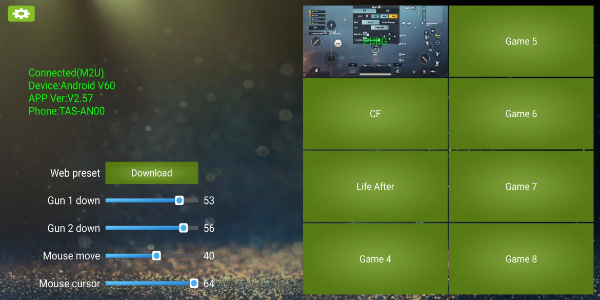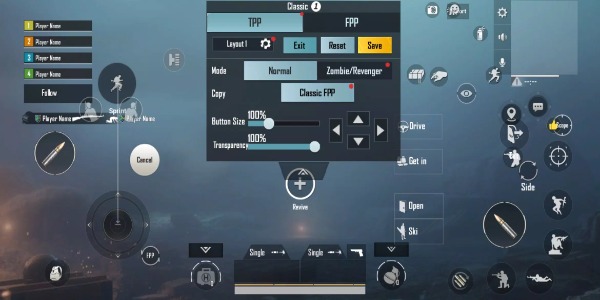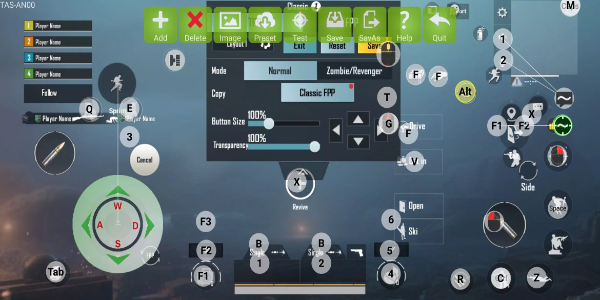

KuGamer is a powerful app designed for managing mouse and keyboard converters with ease. Users can personalize keybindings, store custom profiles, and update device firmware seamlessly. Perfect for gamers and professionals who demand precision and workflow optimization.
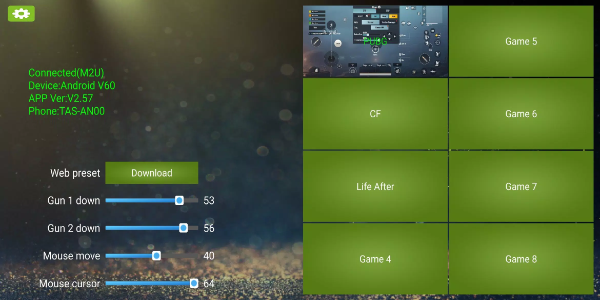
Getting Started with KuGamer
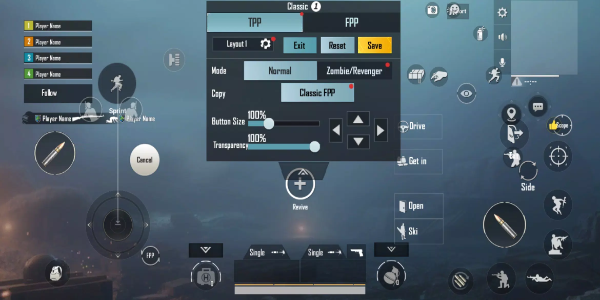
Customizing Key Bindings
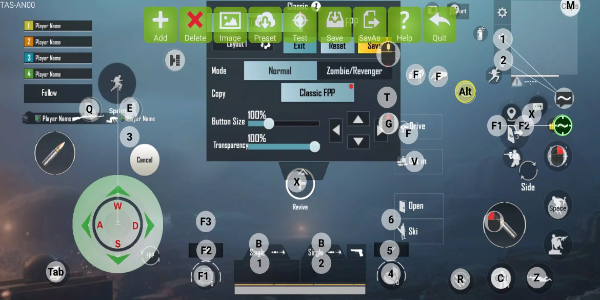
Open KuGamer and access the key mapping interface.
Choose which keyboard or mouse buttons you want to remap.
Assign specific commands or macros to each button for personalized control.
Store your preferred configurations for quick access across different games or applications.
Profile Management
After creating your ideal layout, save it using the Save or Save As function.
Maintain multiple profiles for various gaming genres or professional software.
Switch between different configurations instantly from the app's dashboard.
Keeping Your Device Updated
Check for available firmware upgrades in the app's settings menu.
Simply follow the prompts to install the newest firmware version for your converter.
Keep your device connected to the internet throughout the upgrade process.
User-Friendly Navigation
KuGamer offers a streamlined interface built for effortless operation.
Quickly access all features through logically organized menus and visual cues.
Context-sensitive help options provide instant guidance when needed.
Performance Tuning
Test various binding configurations to discover your optimal setup.
Adjust settings to achieve maximum responsiveness in your preferred games or applications.
Leverage KuGamer's flexibility to create specialized configurations for different scenarios.
KuGamer's Advanced Capabilities
Tailored Input Customization
KuGamer delivers complete control over your input devices, letting you create perfectly optimized controls for any game or application. This precision customization transforms your hardware into a powerful extension of your workflow, giving you the edge in competitive scenarios or complex work projects.
Smart Profile System
The software's intelligent profile management lets you build and maintain specialized configurations for every use case. Instantly recall the perfect button layout for each game or work application with just one click, eliminating time-consuming manual adjustments.
Automated Device Updates
KuGamer's built-in firmware management keeps your hardware performing at its peak. Regular updates introduce new features, performance enhancements, and compatibility improvements – all easily installed through the app's intuitive update process.
Streamlined Interface
Designed for immediate familiarity, KuGamer presents all controls in a clean, accessible layout. Whether remapping buttons or checking for updates, every function is just a click away with clear visual guidance throughout the process.
Universal Compatibility
Supporting numerous device models and brands, KuGamer provides flawless integration with your existing setup. This extensive compatibility ensures you can enjoy all benefits regardless of your preferred hardware choice.
Competitive Advantage
By enabling exact control customization, KuGamer helps you achieve unprecedented responsiveness and accuracy. Optimized configurations mean faster reaction times in games and streamlined operation in professional applications.
Elevate Your Performance with KuGamer
Transform your gaming and productivity experience with KuGamer. Remap buttons exactly how you want, organize profiles efficiently, and maintain peak device performance with automatic updates. Install KuGamer today and unlock your full potential.