Quick Links
Hyper Light Breaker, the highly anticipated sequel to the acclaimed Hyper Light Drifter, introduces significant gameplay innovations. Transitioning from 2D pixel art to vibrant 3D visuals, this rogue-lite title incorporates extraction mechanics and – most notably – introduces multiplayer functionality.
Playing cooperatively with friends enhances the experience, making exploration and combat more engaging. Below we explain how to set up private co-op sessions or join randomized public matches.
How to Play Hyper Light Breaker in Co-Op Mode
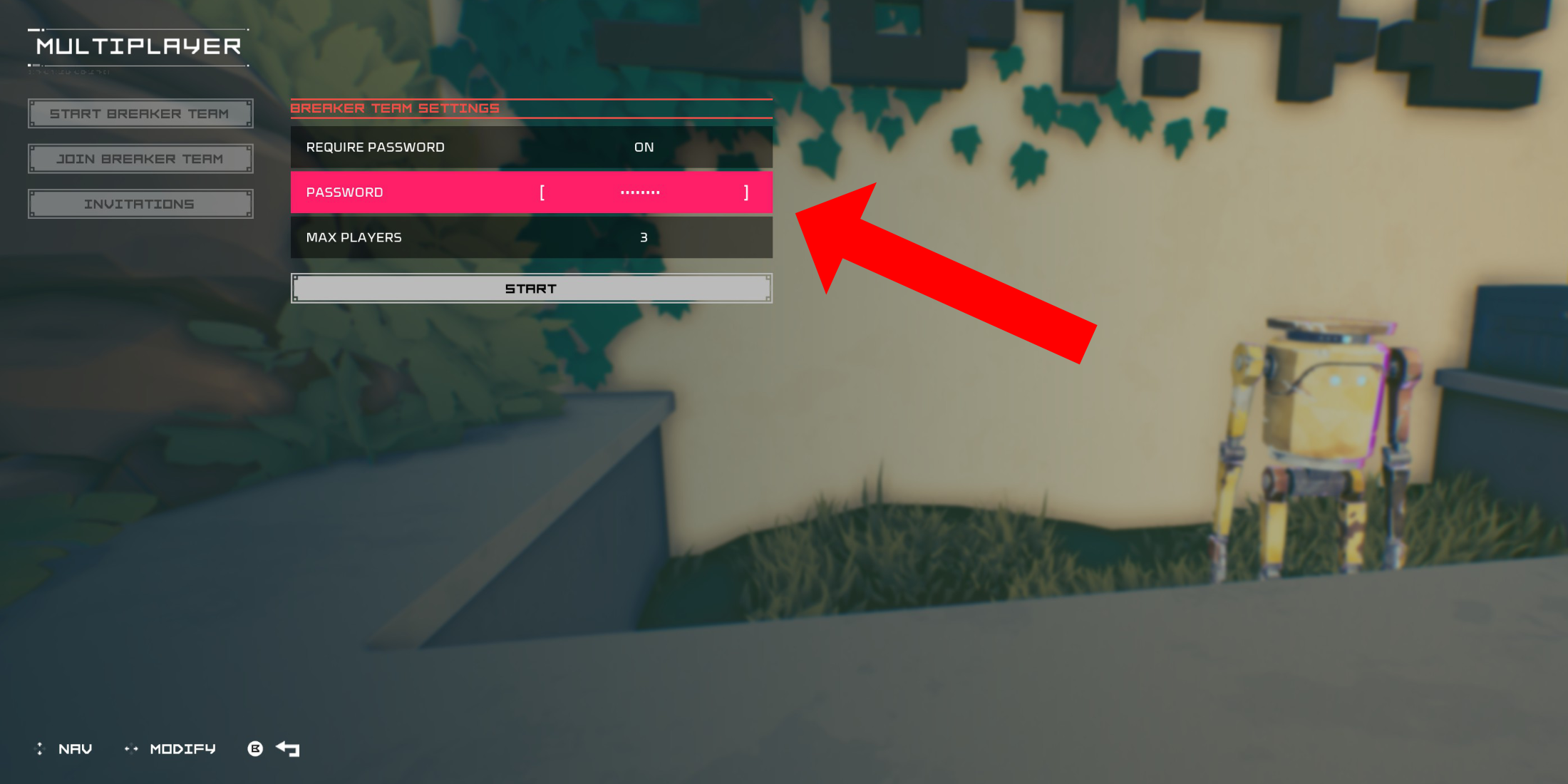
To start a private multiplayer session, follow these steps after spawning in the Cursed Outpost (the game’s hub area):
- Approach the counter to the left of Pherus Bit (your commander).
- Press the interact button (R1/RB) to open the Multiplayer menu.
- Select "Create Breaker Team", toggle "Password Required" on, and set a unique password.
- Invite up to two friends via your platform’s social system (PSN/Xbox/Steam).
If your friend is already in-game, they’ll receive an invitation in the "Invitations" tab. Alternatively, they can locate your group in the public "Join Breaker Team" list if no password was set.
Joining Random Online Matches
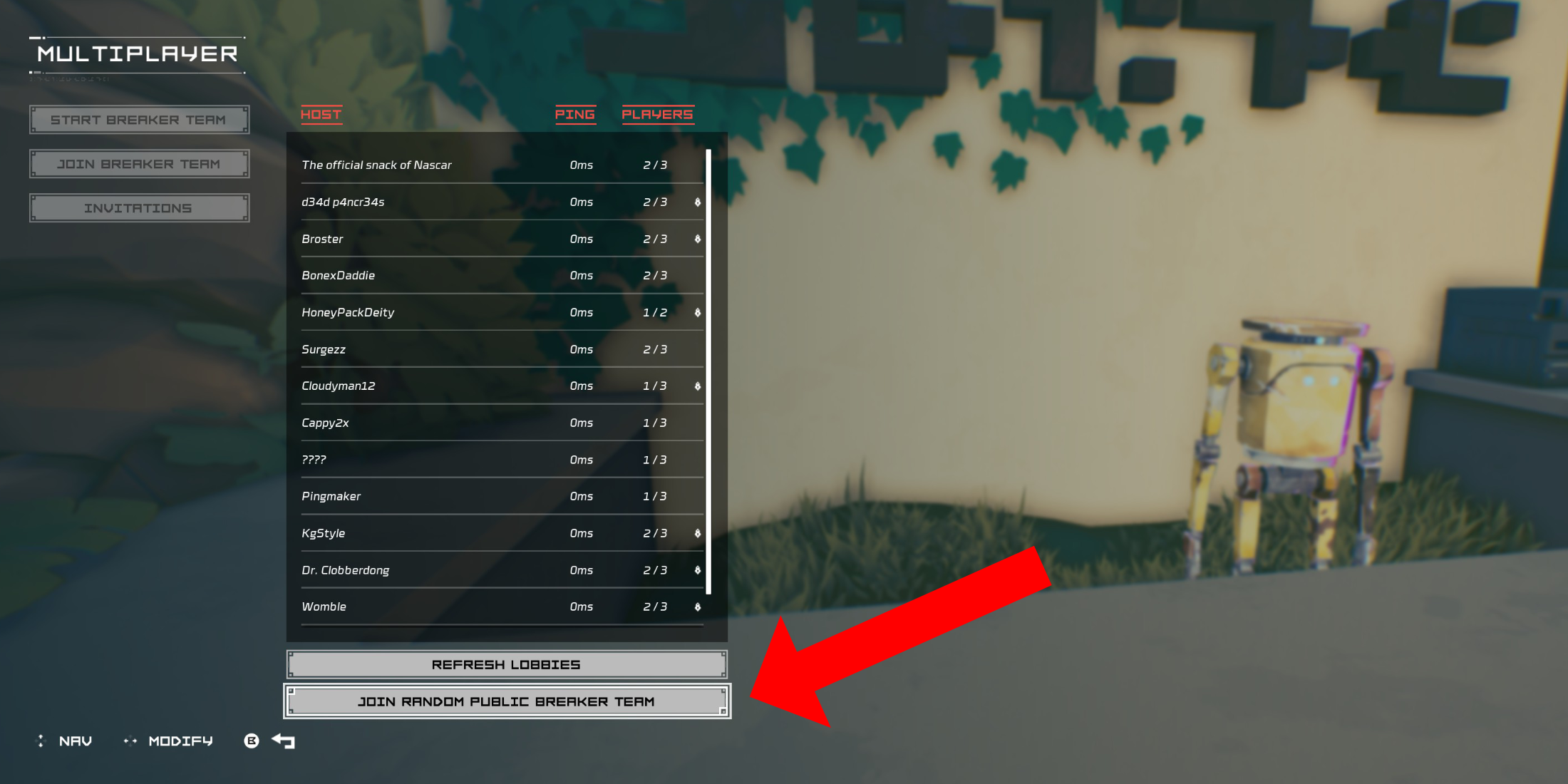
Don’t have friends online? You can still team up via public matchmaking:
- Open the Multiplayer menu at the Outpost’s counter.
- Select "Join Breaker Team" → "Join Random Public Breaker Team".
- The system will automatically place you in an available session.
To leave a multiplayer game:
- Return to the Multiplayer menu and select "Disconnect" at the bottom.
- Alternatively, simply exit the game.
Public matches offer a great way to experience Hyper Light Breaker’s co-op mode with random players. Happy breaking!