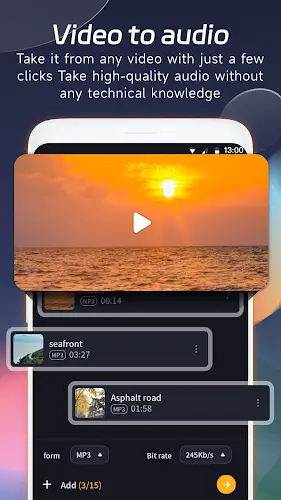
VA Video to MP3 Converter is a powerful and versatile tool built for music lovers and digital creators. This application excels at extracting audio from video files, enabling you to effortlessly convert your favorite music videos into high-quality MP3s. Key features include broad video format support and an easy-to-use interface for a smooth experience. Beyond simple conversion, the app provides customization tools to adjust bitrate, sample rate, and audio quality, ensuring the output meets your exact needs. With support for batch processing and rapid conversion speeds, VA Video to MP3 Converter is a comprehensive solution for turning visual content into portable audio joy. Whether you're building a personal music collection or sharing standout audio clips, this app bridges the gap between video and sound, opening up a world of creative potential. Discover its capabilities today!
Mastering MP3 conversion
VA Video to MP3 Converter excels at transforming MP4 files into the universally compatible MP3 format. Its capabilities extend further, supporting conversion between a variety of audio formats like WAV, WMA, FLAC, and M4A, ensuring your files are always in the most convenient and usable format.
Efficient batch processing
To save you time and effort, the app features batch processing, allowing you to convert or edit multiple files at once. Whether you have a playlist of music videos or a stack of audio files, this feature streamlines your workflow for maximum efficiency.
Extensive customization options
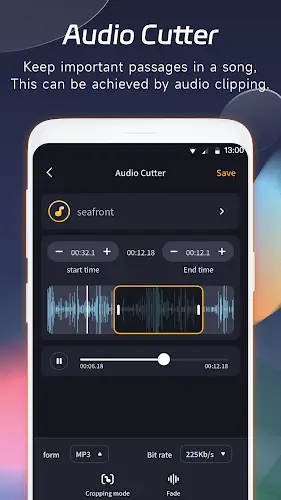
Audio preferences are personal. VA Video to MP3 Converter recognizes this by offering detailed customization. During conversion, you can adjust key parameters like bitrate, sample rate, and audio quality. For precise editing, the app includes tools for trimming, setting start/end points, and applying fade effects.
Intuitive user interface
Navigating the app is straightforward, thanks to its user-friendly design. Whether you're an experienced audio editor or a casual user, the intuitive layout ensures you can use all its features immediately, without a learning curve.
Fast speed and reliable performance
In today's fast-paced world, VA Video to MP3 Converter delivers with quick conversion times. Its ability to process multiple files simultaneously adds another layer of efficiency, making it an ideal choice for managing extensive audio collections.
Bonus features
- MP3 Cutter/Trimmer: An all-in-one tool for editing and trimming MP3 files to create custom ringtones, alarms, or clips. Batch processing lets you edit multiple files at once.
- Audio mixer: Blend the audio from two or more songs to create unique remixes, offering creative outlets for music enthusiasts.
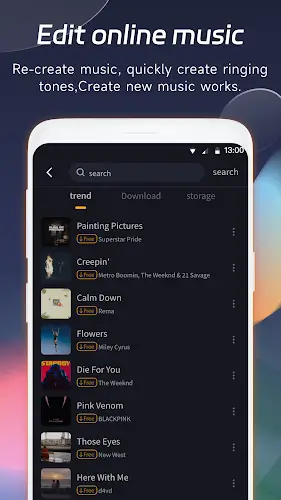
- MP3 download: Search, discover, and download music with one click. Explore featured tracks and easily find new music.
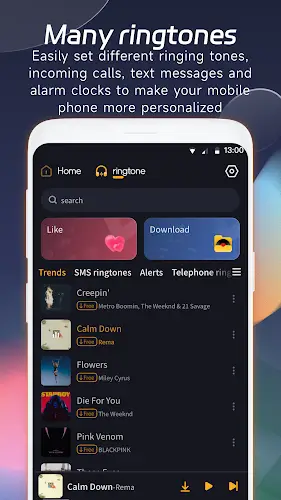
- Free ringtone downloads: Access a vast library of free ringtones. You can also set your extracted MP3 files as ringtones, alarms, or notifications.
- Alarm clock download: Choose from a wide selection of alert tones, notification sounds, and fun tones to personalize your alarm.
- Compress MP3: Reduce the file size of your audio without losing quality, freeing up valuable storage space on your device.
- Audio merger: Merge or join unlimited audio files, even with different formats or bitrates. The app intelligently converts them to a unified format before merging.
In summary, VA Video to MP3 Converter is a complete audio toolbox, offering not only core conversion but also a suite of tools to edit, customize, and enhance your audio files. Whether you're a music fan, content creator, or simply value personalized audio, this app is an essential addition to your digital toolkit. Elevate your audio experience with VA Video to MP3 Converter and unlock new possibilities for your music library. You can download the app's APK file via the link below.