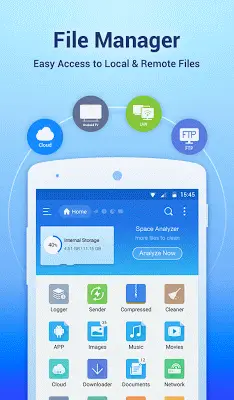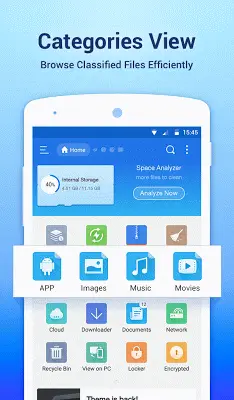
ES File Explorer File Manager is a powerful and versatile tool designed for Android devices. It features a user-friendly interface and a robust suite of tools, delivering a desktop-like experience for organizing and controlling your files, apps, and media. From essential actions like Multi-Select and Cut/Copy/Paste to its integrated Application Manager for easy app control, it meets a variety of user needs. Multilingual support, customizable themes and icons, and built-in media management enhance its appeal. Key features such as storage analysis and FTP access for PC connectivity add to its comprehensiveness. Whether for simple organization or advanced system-level tasks, ES File Explorer File Manager is a leading solution that streamlines daily file management on Android, making it more convenient and efficient.
Navigating the Android File Manager Landscape
Finding the best Android file manager ultimately depends on your priorities and needs. While ES File Explorer offers a comprehensive feature set, other strong contenders serve different preferences. Solid Explorer, known for its sleek design, provides a dual-pane interface for effortless file management. Astro File Manager integrates with cloud storage for seamless cross-device access. FX File Explorer combines a modern Material Design interface with a "Web Access" feature for speed and flexibility. Total Commander excels with extensive plugin support for added functionality, and the open-source Amaze File Manager appeals to users who value customization and root access. To find the ideal fit, consider whether you prioritize advanced capabilities, simplicity, or a specific interface, and try a few options to see which enhances your Android experience the most.
Application Manager
The integrated Application Manager is a standout feature, enabling you to organize, uninstall, back up, and create shortcuts for your apps from one centralized location. This streamlines app management and gives you greater control over your device.
Multilingual Support
Supporting over 20 languages, ES File Explorer File Manager welcomes a global audience. This commitment to accessibility makes the app user-friendly and intuitive for people around the world.
Customizable Icons and Themes
Going beyond basic functionality, ES File Explorer lets you personalize its appearance. With multiple themes and icon sets for over 100 file types, you can tailor the look to match your style and make file management more visually engaging.
Media Management
ES File Explorer doubles as a versatile media hub with its built-in music player, image viewer, and text editor. This integrated approach allows you to handle common media tasks efficiently without switching to separate apps.
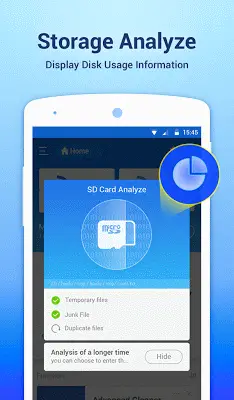
Storage Analysis
The storage analysis tool helps you proactively manage your device's space. It identifies unnecessary files, making it easier to clean up clutter, optimize storage, and maintain better device performance.
PC Access via FTP
With FTP support, you can easily access and manage files on your Android device directly from your computer. This feature simplifies file transfers and remote management, boosting the app's versatility.
Root Explorer for Advanced Users
For advanced users who need deeper system access, the Root Explorer feature provides control over system files and functions typically restricted in standard file managers, catering to power users and developers.
Powerful Search and Sharing
Quickly locate any file with the comprehensive search tool. You can also share files directly from the app, making collaboration and file distribution simple and efficient.
Conclusion
ES File Explorer File Manager remains a top-rated choice for Android file management, delivering a powerful and user-friendly experience for both everyday and advanced tasks. Its comprehensive features, regular updates, and intuitive interface make it a reliable and efficient solution for organizing your Android device.