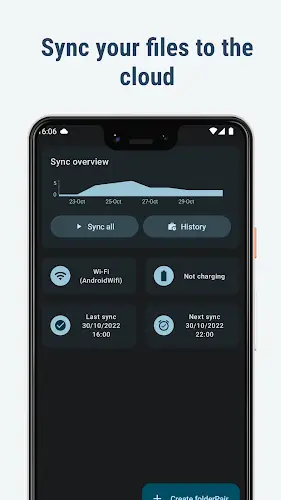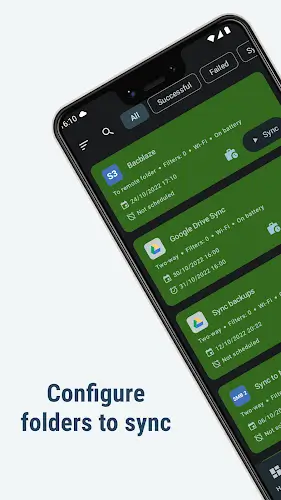
FolderSync is a robust mobile application that simplifies file management by enabling smooth synchronization between your device's local storage and numerous cloud services. It accommodates an extensive range of cloud providers and file transfer protocols, offering exceptional flexibility. Beyond synchronization, FolderSync includes a fully-featured file manager for handling files both locally and in the cloud with ease.
Effortless File Synchronization
FolderSync streamlines the process of syncing files between your device and cloud platforms. You can easily back up photos, music, and important documents from your phone to cloud storage, or restore them as needed. The app's straightforward design ensures hassle-free synchronization, even for those less familiar with technology. Whether preserving memories or accessing essential files from anywhere, FolderSync offers an intuitive solution.
Multi-Cloud Provider Compatibility
A key advantage of FolderSync is its broad support for popular cloud storage services, meeting diverse user needs. It integrates seamlessly with platforms such as Amazon S3, Box, Dropbox, Google Drive, MEGA, and OneDrive, among others. This wide compatibility allows you to connect your preferred cloud storage effortlessly, providing both versatility and convenience.
Support for Various File Protocols
FolderSync also supports a variety of file transfer protocols to meet different security and access requirements. It works with FTP, FTPS, FTPES, SFTP, Samba/CIFS/Windows Share, SMB2, and WebDAV. This extensive protocol support ensures reliable connections to various storage systems, enhancing compatibility across different environments.
Comprehensive File Management Tools
FolderSync’s integrated file manager expands its functionality beyond simple sync operations. Key features include:
- File Operations: Easily copy, move, and delete files on your device or in the cloud, helping you maintain an organized file structure.
- Unified File Management: Manage files stored locally or across multiple cloud accounts from a single interface, offering centralized control.
- Amazon S3 Support: Create and manage Amazon S3 buckets directly within the app, ideal for users reliant on Amazon’s cloud storage.
- Multi-Account Organization: Organize files across different cloud accounts—such as Dropbox, Google Drive, or Amazon S3—without switching apps.
- User-Friendly Design: An intuitive interface makes file operations accessible, even for those with limited technical experience.
- Seamless Sync and Management: Combine synchronization with everyday file management tasks in one application for a cohesive workflow.
- Granular Cloud Control: Enjoy precise management over cloud-stored data with support for moves, copies, deletions, and Amazon S3 bucket operations.
Automated Task Integration
FolderSync enhances automation through integration with Tasker and similar apps, giving you detailed control over synchronization schedules and actions. This integration allows for customized file management workflows, improving both efficiency and accuracy.
Final Thoughts
FolderSync stands out as a versatile and powerful tool for file synchronization and management. It delivers a smooth, user-friendly experience for keeping local and cloud-based files in sync, supporting a wide array of cloud services and transfer protocols. The built-in file manager and automation capabilities make it an excellent choice for both personal and professional use. Whether you're backing up personal content or managing work documents, FolderSync offers a reliable and efficient solution in the file management app landscape.