How to Create Your Own Wi-Fi Hotspot: Benefits and a Guide to NetShare App Setup
NetShare – no-root-tethering is an Android application that lets you turn your phone into a Wi-Fi hotspot and share your mobile internet with other devices—no need to root your phone. You can customize your hotspot with a name and password, manage connected devices, and enjoy compatibility across Android versions for a smooth, secure experience. The app ensures ease of use and supports reliable connections for Android apps. In short, NetShare makes internet sharing straightforward and accessible.
How to Set Up Your Own Wi-Fi Hotspot
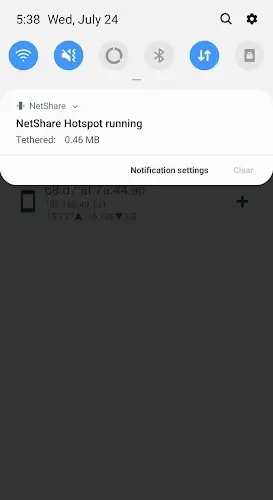
With NetShare, you can easily create your personal hotspot. Think of it as using your phone like a portable modem to extend internet access. You can also manage connected users directly, so you won’t have to keep changing your main hotspot password. Following best practices for connection settings helps keep your network stable and secure, showcasing the flexibility and usefulness of the NetShare app.
Advantages of Using Your Phone as a Wi-Fi Router
Turning your device into a Wi-Fi router comes with multiple perks. It enables hassle-free connectivity for various gadgets, with easy-to-follow connection steps for each linked device. If both users have NetShare installed, two Android devices can pair quickly. Connections between different types of devices may require extra steps, like modifying address and proxy settings. The latest version also includes special support for Android 12, delivering improved compatibility and performance.
Step-by-Step Guide to Setting Up and Optimizing NetShare
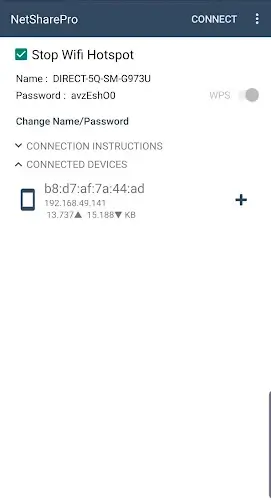
Set Up Your Wi-Fi Hotspot Details
- Whether you’re streaming on mobile data or sharing with friends, create your connection via the app.
- Pick a network name and password for easy and secure sharing.
- The setup only takes a few minutes—enable WPS to finalize your hotspot creation.
- You can then share access with your friends easily.
Connecting with Android Apps
- Once your NetShare hotspot is active, check the connection instructions for different device types.
- For Android users, they should install NetShare for a seamless connection.
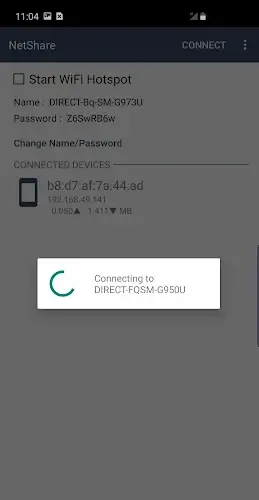
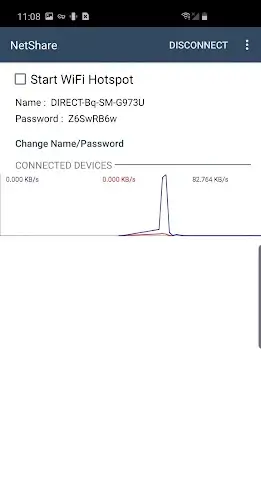
- They simply open the app, tap the connect button, grant permissions, and they’re online.
Adjust Address and Proxy Settings
- If a friend uses a non-Android device, they’ll need to adjust the address and proxy settings.
- Share these details securely with them.
- Once configured, they can use the connection privately, avoiding interference from other users.
Use the Right App on a Supported OS
- Before installing NetShare, verify your phone’s configuration.
- The app requires Android 6.0 or newer to function properly.
- Checking your device specs beforehand helps ensure all features work smoothly.